Think about how you look for a business you haven't used before. You might search for an electrician, a landscaper or someone who can repair your furnace. You know what you need done, but you may not have a company name in mind.
When you look at your own business on Google, try that same approach. Search for the work you do and the area you serve. Can someone who hasn't heard of your business find you that way?
What happens when you leave your business name out?
If someone recommends your business, the person may search for your name to find your website, read reviews or get your phone number. You want them to find the right business and current contact details.
A search for a service starts with a different question: who can help me with this job?
In SEO, these are called branded and non-branded searches. Your website might come up for your company name and still be hard to find for the services you offer.
That doesn't tell you exactly why someone searched. A person who already knows you could still search for the service. It does give you another way to look at how people may be finding you.
Think about what your customer would type into Google
Here's a fictional example. An electrical contractor serves Northborough and offers panel upgrades. One person searches for the contractor's name and town. Another searches for panel upgrade electrician Northborough.
The first person is looking for a particular contractor. In the second search, the homeowner is still deciding who to call. The contractor has to be found before that conversation can happen.
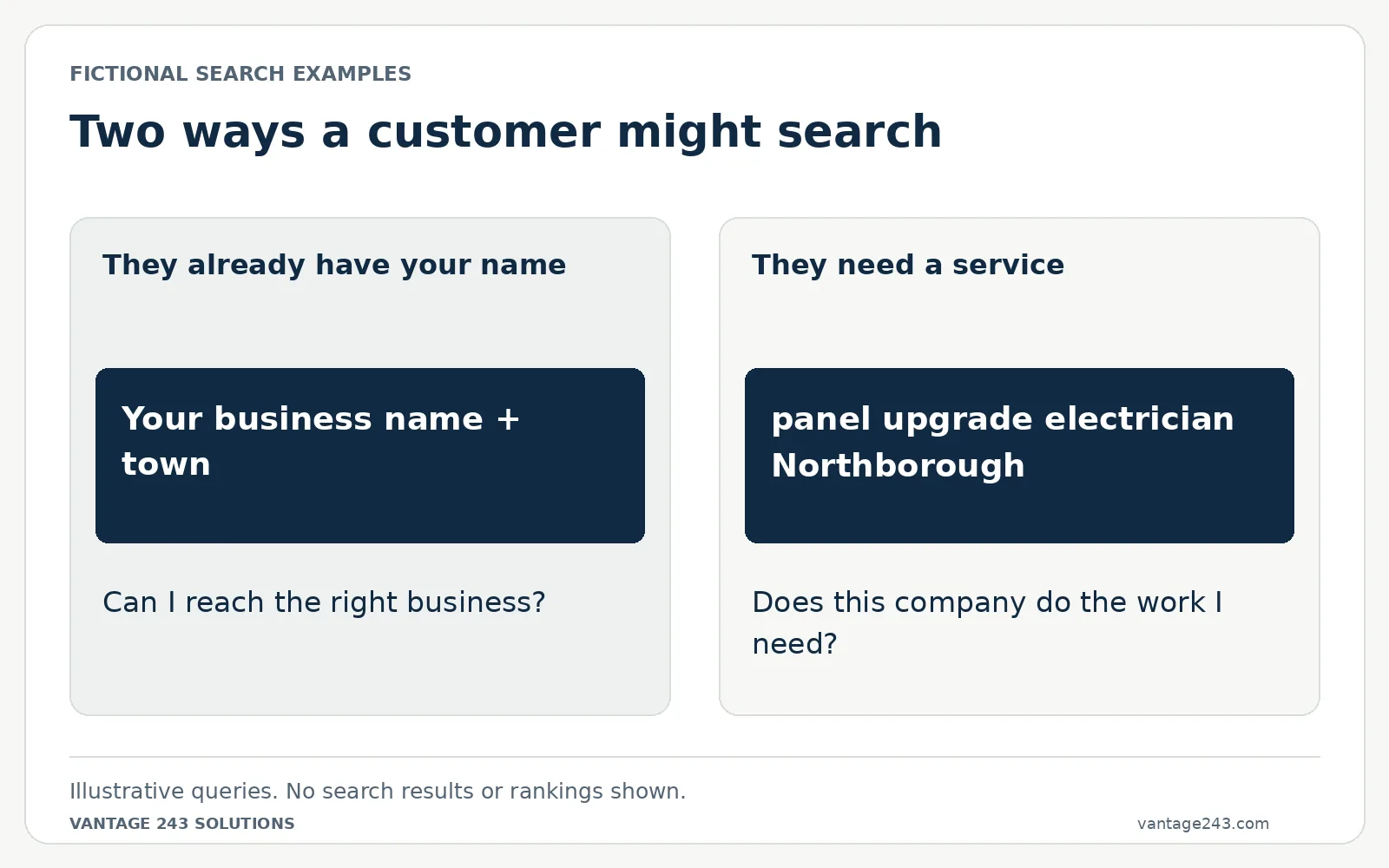
Read the search comparison as text
- They already have your name. Example: your business name + town. Question: Can I reach the right business?
- They need a service. Example: panel upgrade electrician Northborough. Question: Does this company do the work I need?
These are fictional search examples. No search results or rankings are shown.
Try this with a service you'd like more work in and a town you serve. What would a customer type into Google? Start there, then look at the page on your website that explains that service.
Look at the results and note the date, your location and the exact phrase. Notice whether you see ads, map listings or website results. They are different placements; a website result and a map listing aren't the same thing.
Don't read too much into a single search. Google explains that results vary with time, place, device and recent search history, so someone else may see different results from the ones on your phone.
Does your website answer the customer’s questions?
You can review the page even if it didn't appear in your search. In the electrician example, ask whether a visitor can find answers to these questions:
- Do you provide panel-upgrade work?
- Do you serve Northborough?
- What should I tell you when I ask about the job?
- How do I request an initial discussion or estimate?
A page headed “Quality Solutions for Your Home” may leave those details unclear. A heading such as “Electrical Panel Upgrades” gives the visitor a more useful starting point, followed by an honest explanation of the work, service area and inquiry process.
The title shown in the browser matters too. Google recommends descriptive, concise page titles. That doesn't mean repeating the same service and town throughout the page. Describe the actual work in language a customer would recognize.
If a suitable service page already exists, improve it first. A new page for every variation of a phrase can leave you maintaining several pages that say much the same thing. Our guide to what your website may leave out about your business can help with that review.
Take a look at your Google Business Profile too
For a local business, review your Google Business Profile alongside the page. Does it describe the same services? Are the hours and contact details current? Does the location or service area reflect how you actually operate?
Google's local-ranking guidance explains that relevance, distance and how well-known a business is all affect local results. Complete, accurate business information helps Google understand the business. Updating a description alone doesn't guarantee a particular map position.
Keep the details truthful. Don't add a location you don't operate from or promise work you don't provide just to match a search phrase. If you can't find the business by name either, check the profile's ownership and verification status and whether the website's important pages can be found by search engines.
What does your search data tell you?
If you have access to Google Search Console, review the queries associated with the relevant page over a stated date range. Look for your business name and for searches describing the service. Record the page and dates so you can make a useful comparison after a change.
Some eligible sites also have a branded-queries filter. Its availability depends on the property and sufficient search signals, and Google says its classifications can be imperfect. If it isn't available, you can still review the queries the report provides.
Impressions show that a result appeared. Clicks show that someone selected it. Neither tells you, by itself, whether the person made a suitable inquiry or hired you. Keep those business outcomes in your inquiry records and ask how people found you when it's appropriate.
For a newer site with little data, keep your conclusions modest. An initial search and page review can help you find missing information. They don't establish how much demand exists or predict what a change will produce.
What would I work on first?
I'd look at the service page first. If it doesn't explain the work you do or makes it hard to ask about a job, fix that before writing another blog or signing up for another marketing tool.
If the page already answers those questions, I'd look more closely at the search data and whether anything is keeping Google from finding or understanding the page. Correct any outdated profile details you find along the way.
If you're unsure what's getting in the way, our Digital Presence Snapshot offers a review of your digital presence. You can also schedule a Free Consultation to talk about what you're seeing and whether that assessment would help.
Featured photo by Ingo Joseph · Pexels. Stock photograph used for illustration.