
If you've been looking at AI for your business, you probably have a few jobs you'd like it to help with. Maybe your notes are scattered, content takes too long to prepare, or the same questions keep coming back to you.
I'd look at the jobs that keep coming back to you. Pick something you understand well enough to tell whether the result is right. The question is whether AI makes that job easier once you've checked its work.
There are more ways to connect AI to business tools now. In its October 20 announcement, Google introduced a small-business Gemini hub and connections to tools such as Google Business Profile and Workspace. Before connecting more tools, I'd decide what work I actually want help with.
Start with the work that keeps coming back
Think about where you spend time collecting information, putting it in order or preparing something for review. Turning weekly marketing notes into an action list is one example. Organizing confirmed service details into a page outline is another.
Be specific about the help you want. “Turn these notes into a list I can review before our planning call” is something you can judge when you see the result.
Then ask a few questions. How often do you do this? What takes time? Where does the information come from? Who will know whether the result is right?
Some jobs already have a simple answer. A recurring reminder may belong in your calendar. A message that rarely changes may work well as an email template. Choose the approach that takes the least effort to maintain.
Choose something you can check before using it
For a first try, I'd have the tool prepare something you can review before anyone acts on it. An action list works for that: you can compare it with your notes before adding anything to the team's work.
Sending messages, changing appointments or updating customer records introduces other decisions. Someone needs to agree on what the system may do, what information it may use and how mistakes will be handled. Work through those questions before giving it that responsibility.
For the exercise below, fictional notes are enough. When you try your own task, use information your business permits in the chosen tool. Check the provider's current settings and terms before adding customer details or confidential material.
Try turning a few notes into a usable action list
Suppose a small office cleaning business has these notes from a marketing discussion. This is a fictional example.
The owner will review the service-page wording on Thursday.
We need fresh project photos. Nobody has been assigned to collect them yet, and we haven't set a date.
The social post is approved. It is waiting for an image before it can be published.
A larger website update is an idea for next month. We haven't agreed to do it.
You could give an AI tool those notes with this instruction.
Organize the notes into a short action list for the owner to review. For each agreed task, show the task, who is responsible, any stated timing and anything it is waiting for. Use only the information in the notes. Mark missing owners or dates as not assigned or not set. Keep proposed ideas in a separate section. List questions the owner needs to answer. Leave the work as a draft for review.
Here's an illustrative result showing the kind of organization I'd look for. It is an example prepared for this article.
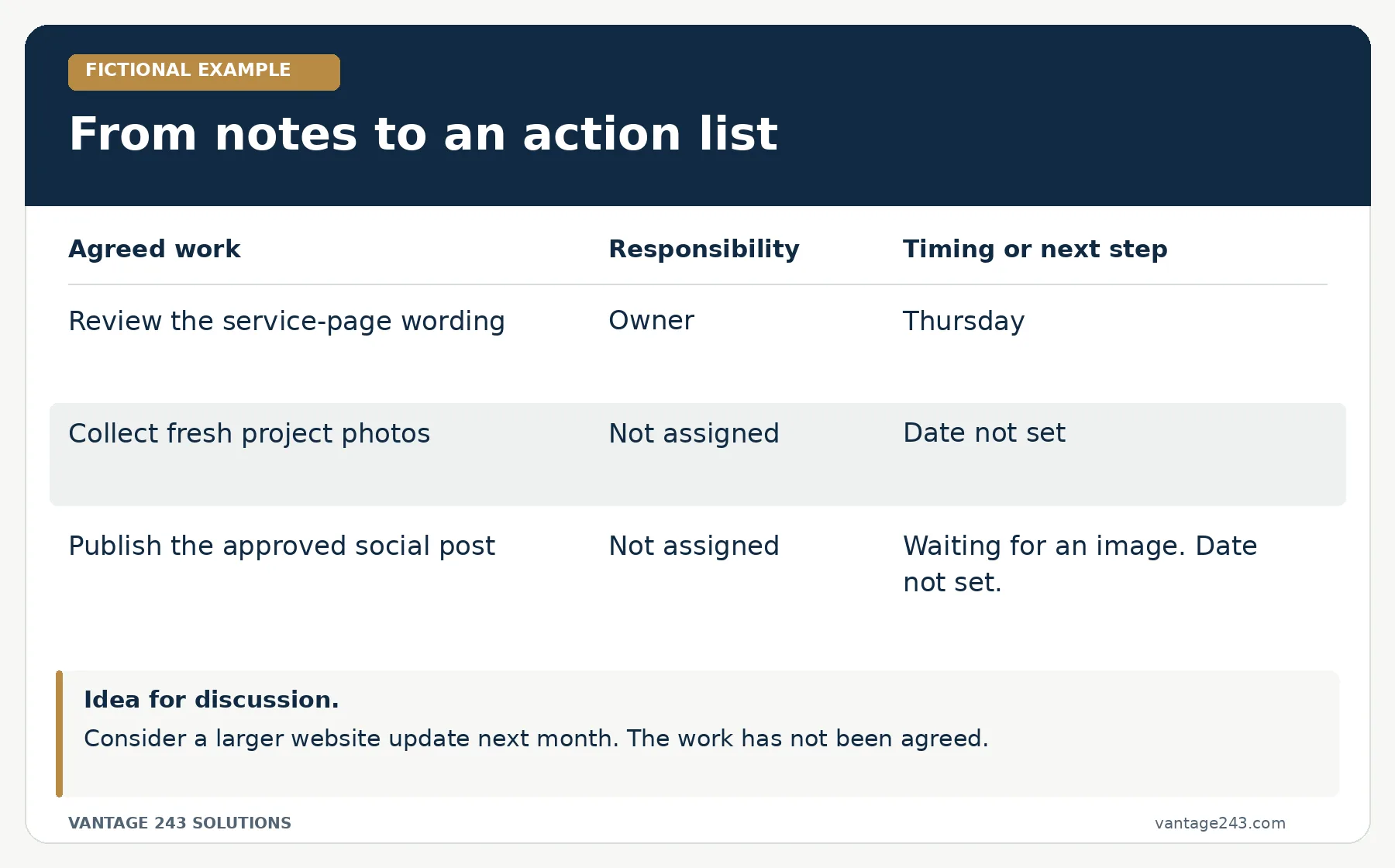
Read the action list as text
- Review the service-page wording. Responsibility: Owner. Timing: Thursday.
- Collect fresh project photos. Responsibility: Not assigned. Timing: Date not set.
- Publish the approved social post. Responsibility: Not assigned. Waiting for an image. Date not set.
Idea for discussion. Consider a larger website update next month. The work has not been agreed.
Questions for the owner. Who will collect the photos, and when are they needed? Who will supply the social image and publish the post? Should the website idea stay on the list for a later discussion?
Now the owner can see what still needs an answer. Someone needs to take the photos, supply the image and decide whether the website idea is going ahead.
Check the details that could change someone's work
Read the result beside the original notes. Check whether the owner, timing and status are accurate. An approved post waiting for an image is still waiting. An idea for next month needs a decision before anyone treats it as agreed work.
In this example, a result that assigns the photos to a staff member or adds a Friday deadline would introduce information the notes never supplied. A neatly formatted list can still contain that kind of mistake.
Try a few variations before relying on the process. Leave out a date. Include an unclear responsibility. Give it two notes that disagree. Look for those gaps in the output and decide what the reviewer needs to resolve.
Keep the original notes available. They give the reviewer something to check against and make it easier to correct the draft.
Count the time you spend checking it
When you decide whether this saved time, include the time you spent gathering notes, writing instructions and fixing the result. How does that compare with organizing the notes yourself?
You may find that AI helps with a long set of rough notes, while a short familiar list is quicker to handle directly. You may also find that a shared checklist solves the problem. Use what you learn to decide which approach to keep.
Review more than one easy example. Try a typical week and a messier one. If you repeatedly have to correct responsibilities, dates or commitments, simplify the task before using it more widely.
A tidy list isn't much help if you have to rebuild it before anyone can use it.
Keep the instructions with the task
You don't need a large manual for this. Write down what the tool can use, what you want back and who will check it. These are the details I'd keep:
- The task. Name one repeated job and the problem you want to make easier.
- The information. Identify the notes or confirmed facts the tool may use.
- The output. Say what it should prepare and where the work stops.
- The reviewer. Choose someone who can check the information and resolve questions.
- The comparison. Record the time and corrections involved, alongside the effort of doing the job yourself.
Keep those rules with a few reviewed examples. When the task changes, update the instructions too.
If you'd prefer to try a customer-facing writing task, our holiday FAQ walkthrough works from confirmed business details and includes a prompt you can adapt.
At Vantage, our AI & Workflow Design service helps you assess a content or marketing task and plan the information and review it needs. Tool setup, system connections and implementation are agreed separately. If you're wondering where AI could help in your business, we can talk about the work you have in mind during a Free Consultation.
Featured photo by Matheus Bertelli · Pexels. Stock photograph used for illustration.